Peloton tracking: every rider’s position in the pack, live and after the ride
On a group ride, Domestique Hub places every rider in the pack in real time — first, second, third, the gap in metres to the wheel ahead, who is on the front and who has been dropped — and keeps it after the ride as a report of who did the work. Here is how the positions are worked out, what you see while you ride, and, at the end, a sample report for a whole ride.
What you see while you ride
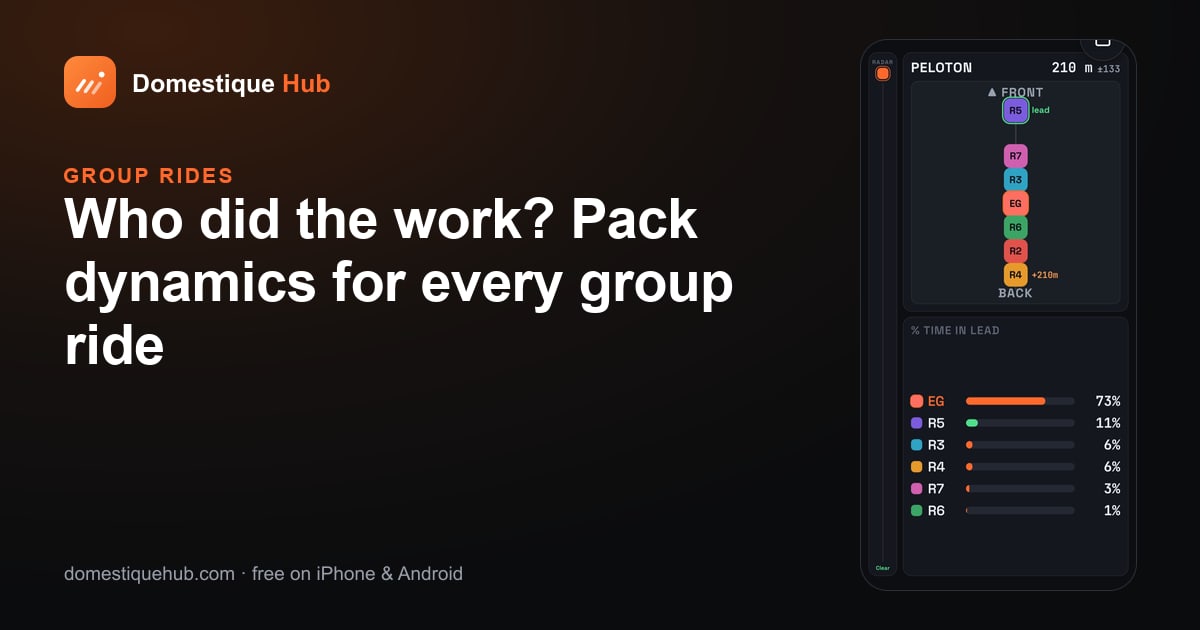
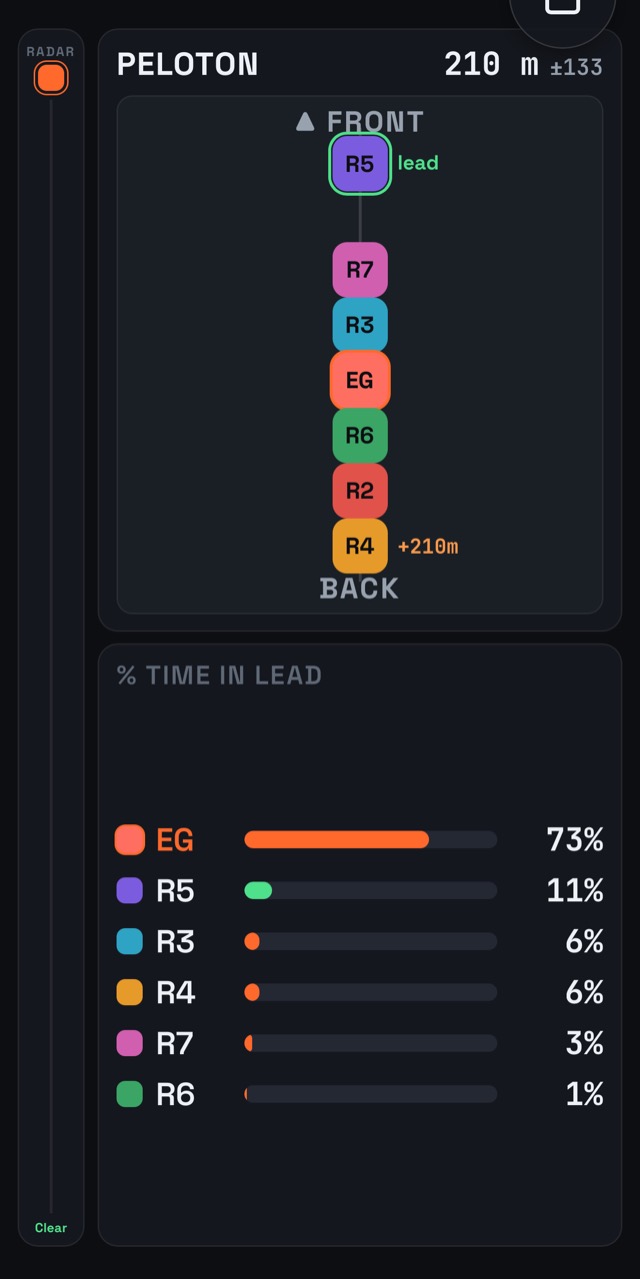
- The peloton tile. Every rider on one front-to-back line, the leader tagged lead, and the length of the group in metres at the top. A rider who has gone off the back is pinned to the bottom edge with the distance to the next rider, so a split is obvious at a glance.
- % time in lead. Each rider's share of the ride so far spent on the front, as bars, for up to six riders.
- Your own place. Fields for your position (3/7, drawn as a row of dots), who is leading, your gap to the leader, your gap to the nearest teammate and your own % on the front — put them on any page you like.
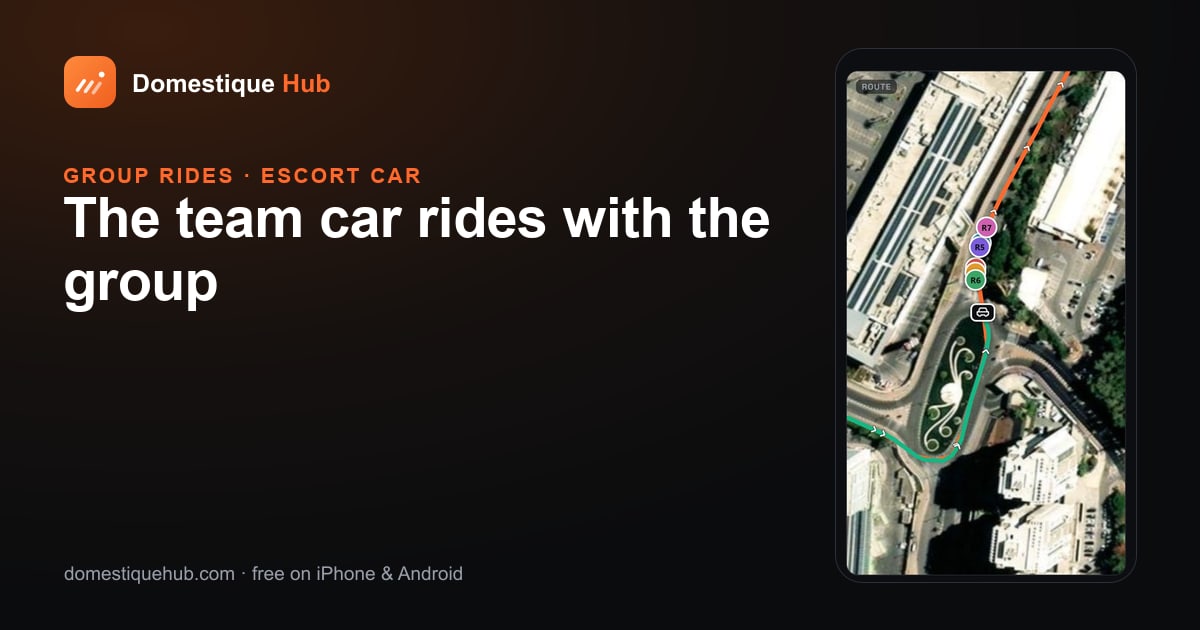
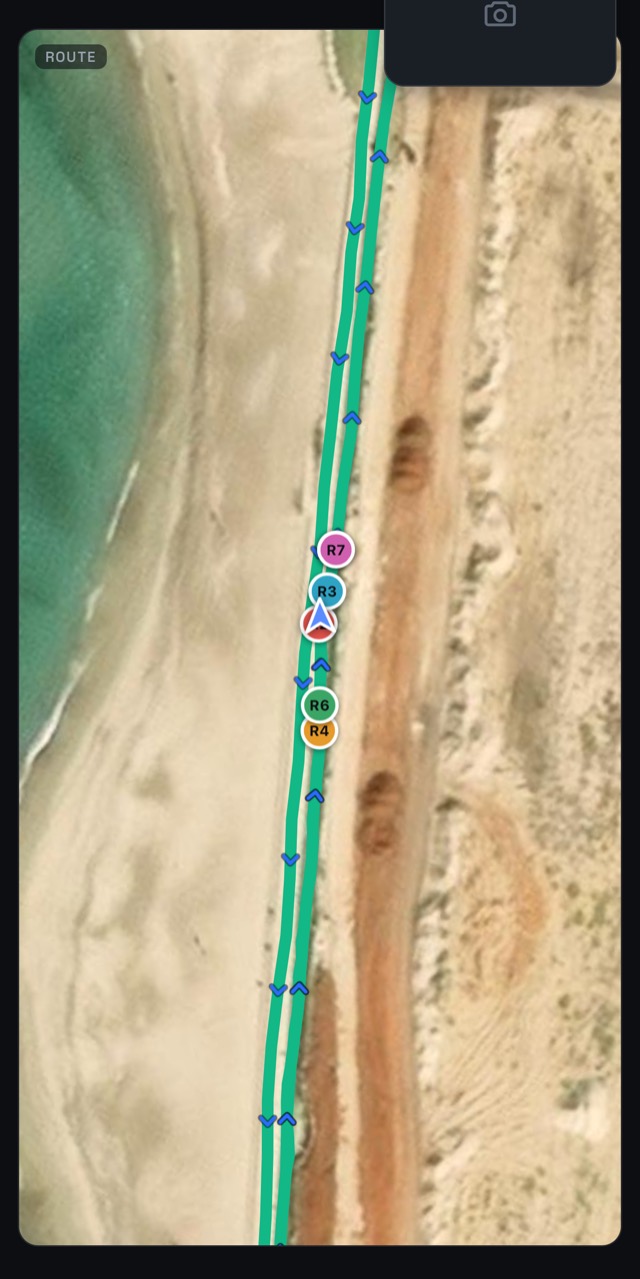
- The map. Every rider's marker on the road, and the team car drawn as a car if one is following (see escort mode).
How a rider gets a place
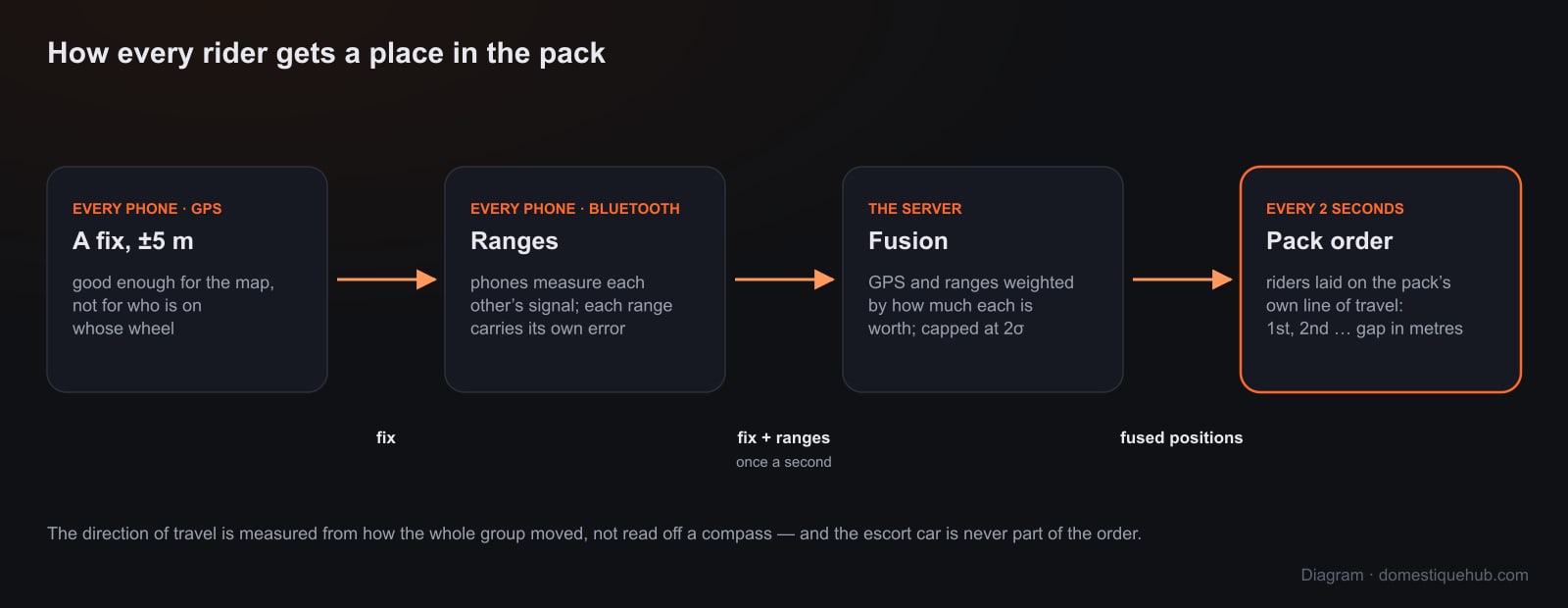
GPS alone is not enough. A phone's fix is good to about five metres, which is the whole depth of a tight group. Two riders on each other's wheel can swap places on the map just from GPS noise.
So the phones measure each other. Every phone in the ride broadcasts a short Bluetooth signal and listens for its teammates'. Signal strength becomes a distance, filtered so a body blocking the signal for a moment is ignored, and each distance carries its own error bar — a range from two metres away is trusted more than one from twenty. The other phone's transmit power differs from handset to handset, so the app measures it against GPS when riders are far enough apart for GPS to be the better instrument.
The server fuses the two. Each rider's GPS fix and their ranges to teammates are combined, each weighted by how much it is worth. The correction is capped, so one bad range cannot move a rider across the road.
Then the pack is put in order. Every two seconds, on the server's own clock, the riders are laid along the pack's line of travel: the front rider first, each rider's distance along that line, and the gap to the rider ahead. The direction of travel is measured from how the whole group moved rather than read off a phone's compass, which is missing on the web and unreliable everywhere else.
What is kept, and what is not
Those two-second snapshots are saved for the ride. Four things are deliberately left out: a rider on their own (it takes two to have an order), a group standing still (a café stop is not twenty minutes on the front), the first minute of anything, and the team car.
The report after the ride
Open Pack dynamics from the activity page of a group ride, or from the Live tab, and you get one page per ride:
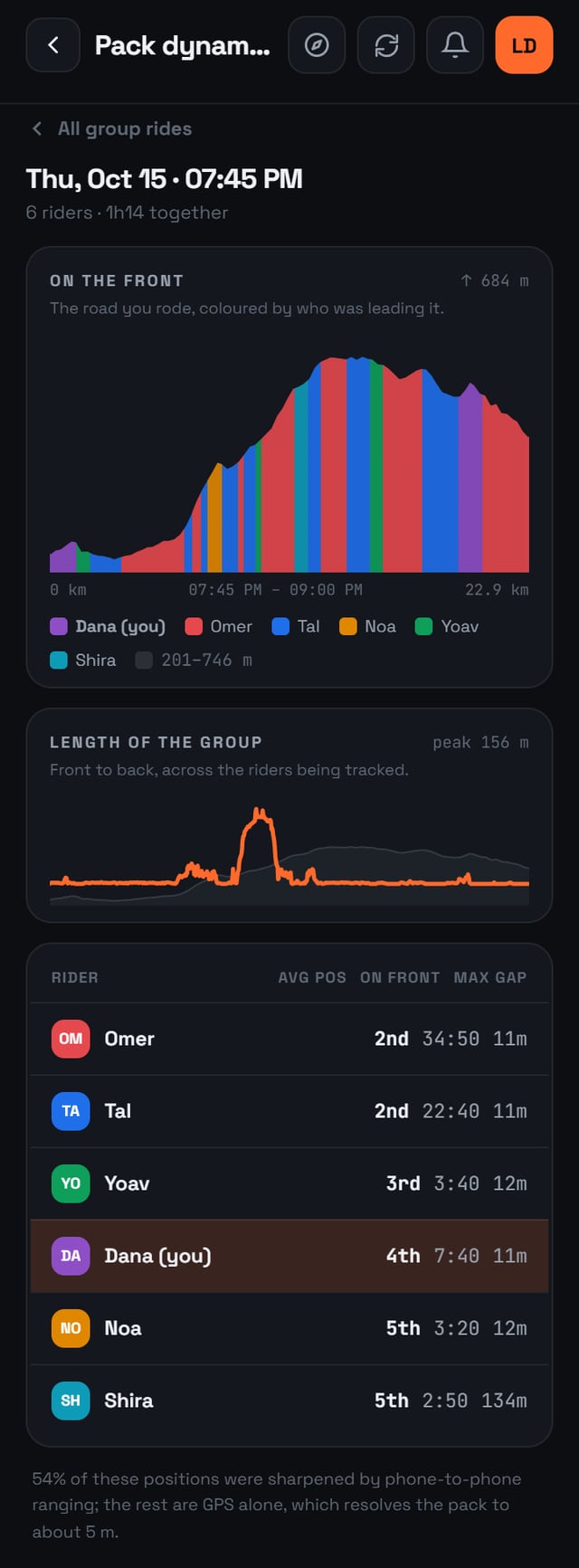
- On the front — the elevation profile of the road you rode, filled with the colour of whoever was leading it. The climb where one rider did all the work is a single block of their colour.
- Length of the group — front to back in metres over the ride, with the terrain faint behind it, so you can see the climbs where it stretched and the descents where it closed up.
- The table — each rider's average position, total time on the front and biggest gap to the wheel ahead, with your own row highlighted.
- How much of it was measured — the share of positions sharpened by phone-to-phone ranging. Where it is low, the report says the gaps are indicative rather than measured, because a gap of three metres from GPS alone is a guess.
Sample report: a six-rider club ride
This is what the report looks like for a 23 km club loop with 684 m of climbing — six riders, an hour and a quarter together. It was rendered by the app from a simulated ride on a real surveyed road, with invented riders.
Reading it from the top:
- Omer did the work. The red blocks across the long climb are his: 34 min 50 s on the front, an average position just behind first.
- Tal took the other big share — 22 min 40 s, mostly in long blue turns over the top.
- Everyone else rotated through for two to eight minutes each — the narrow stripes on the lower slopes are short turns.
- Shira lost the wheel on the climb. The spike in the group-length chart is the group stretching to 156 m while she was off the back; her maximum gap is 134 m. The chart drops back down when she rejoins.
- 54% of the positions were measured by phone-to-phone ranging; the rest are GPS alone, and the report says so.
| Rider | Avg position | On the front | Max gap |
|---|---|---|---|
| Omer | 2nd | 34:50 | 11 m |
| Tal | 2nd | 22:40 | 11 m |
| Yoav | 3rd | 3:40 | 12 m |
| Dana (you) | 4th | 7:40 | 11 m |
| Noa | 5th | 3:20 | 12 m |
| Shira | 5th | 2:50 | 134 m |
Getting started
- Start a ride from the Live tab; the rest of the group joins it from the lobby.
- Add the Peloton page, or the position fields, to your ride screen.
- After the ride, open Pack dynamics from the activity.
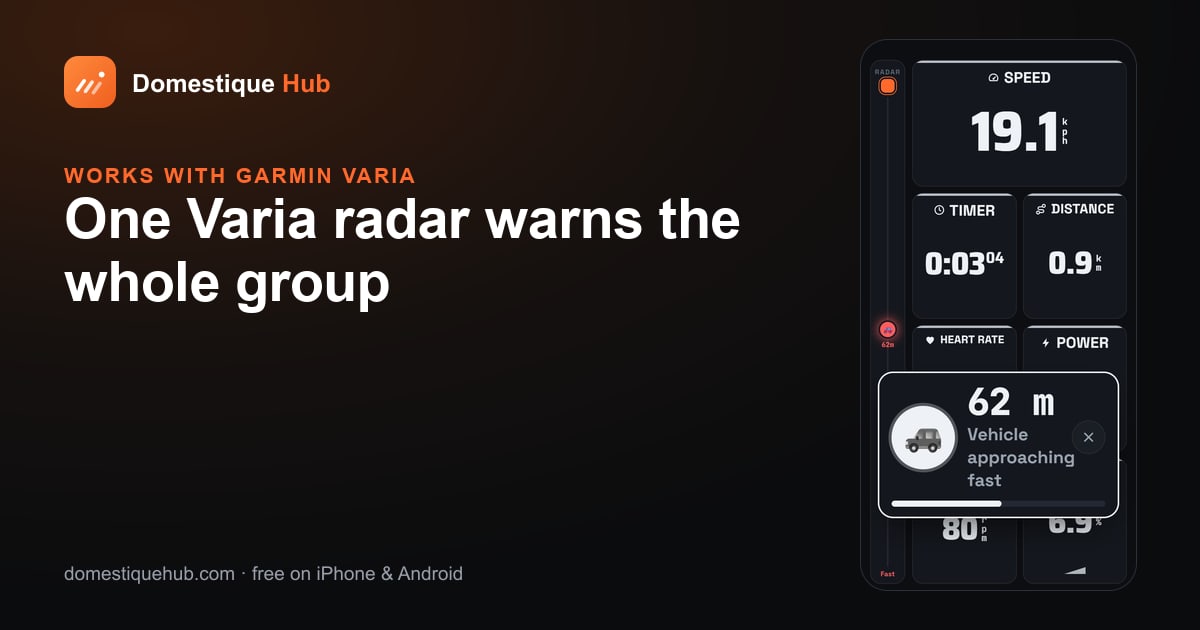
Phone-to-phone ranging needs the installed app on iPhone or Android; on the web, positions come from GPS alone. If somebody in the group has a Garmin Varia, its car warnings reach every rider too. For the story behind the feature, see who did the work?
Questions riders ask
- How does the app know the order of riders in a group?
- Each phone sends its GPS fix and its Bluetooth distances to nearby teammates. The server fuses them, weighting each by how accurate it is, and every two seconds lays the riders along the pack’s direction of travel: first, second, third, with the gap to the wheel ahead.
- Is GPS accurate enough to tell who is on whose wheel?
- Not on its own — a phone’s GPS is good to about five metres, the whole depth of a tight group. Phone-to-phone Bluetooth ranging sharpens it, and the report says what share of positions were measured that way.
- What does the after-ride report show?
- The road you rode coloured by who was leading each part of it, how long the group was over the ride, and a table of each rider’s average position, time on the front and biggest gap.
- Does every rider need the app?
- Every rider who should appear in the pack needs the app on their phone and must join the live ride. Bluetooth ranging needs the iPhone or Android app; in a browser positions come from GPS alone.