Who did the work? Pack dynamics for every group ride
The thing riders talk about after a group ride is not their own average power. It is "you sat on the front for half of it", "I was off the back on the climb", "the group was ninety metres long in the crosswind". Domestique Hub now measures that, live and afterwards.
The pack, on its own axis
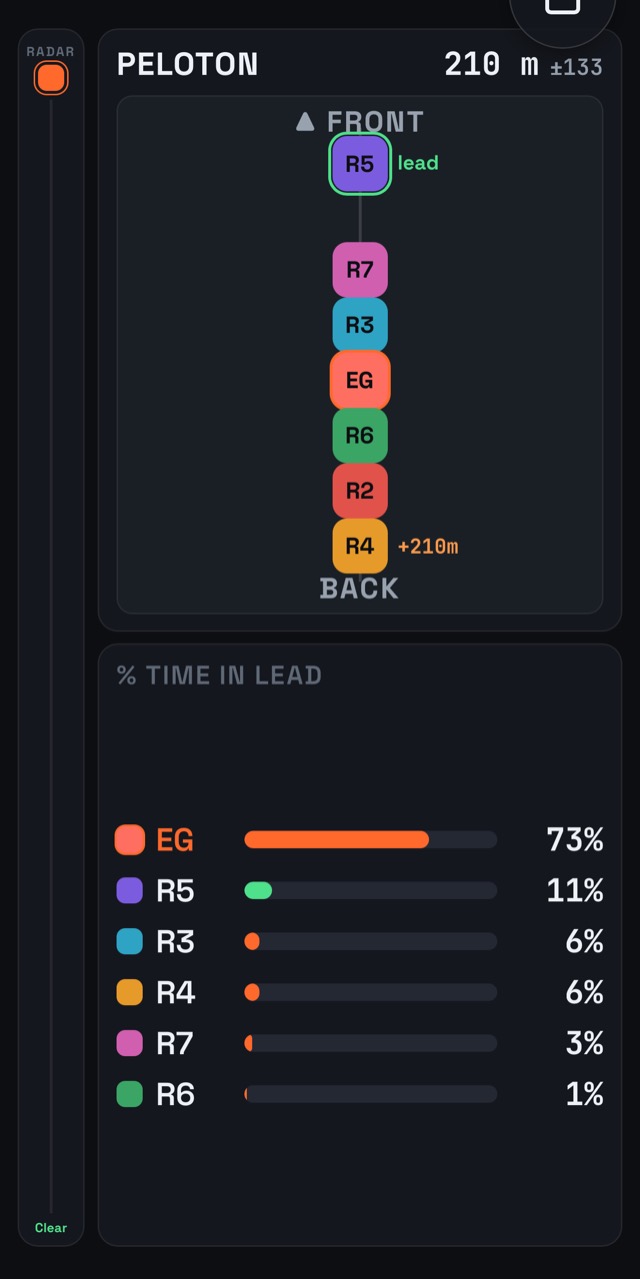
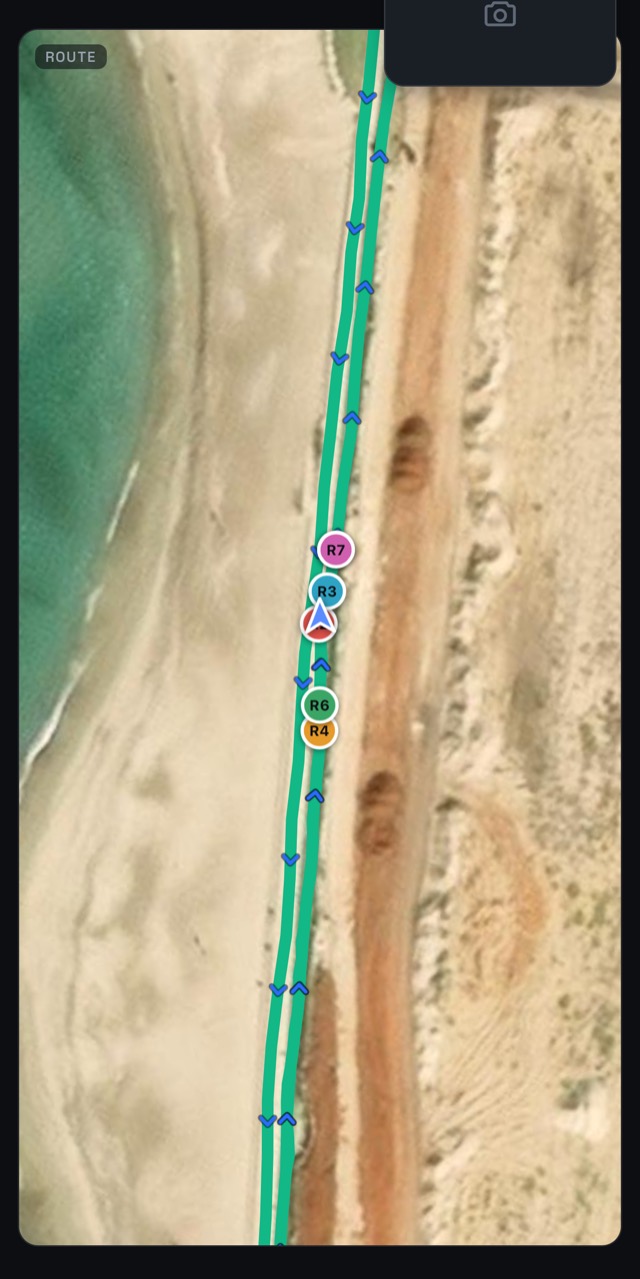
A map is the wrong picture for "who is where in the group": seven dots on a road at street-map zoom are one blob. The peloton tile instead lays every rider on a single line — the pack's own direction of travel — from the front wheel to the back, with the gaps between them in metres. A rider who has been dropped is tagged with how far behind they are.
The direction is measured from how the pack itself is moving rather than read from a phone's compass, which is missing on some phones and unreliable on most. That is exactly right for riders within a few seconds of each other, which is what a group ride is.
Phones that measure each other
GPS alone places a rider to within about five metres, which is the whole depth of a small pack. So the riders' phones also range each other over Bluetooth, and the server fuses those ranges with GPS to sharpen everyone's position. Each range carries its own estimate of how good it is, and the fusion weights it accordingly, so one bad reading cannot put a rider on the wrong side of the road.
Time in the lead
A second tile counts how long each rider has been at the front, as a share of the ride so far. It is the number that settles the café argument, and it is visible while there is still time to do something about it.
Kept after the ride
Every two seconds, on its own clock, the app takes a snapshot of the whole pack and keeps it. After the ride the activity report carries a Pack dynamics row that opens straight onto that ride: the road coloured by who was leading it, how long the group stretched, and each rider's average position, time on the front and biggest gap. There is a sample report for a whole ride in the peloton tracking post.
Some things are deliberately not recorded: a rider alone (two riders is the smallest group with an order), a group standing still — a café stop is not twenty minutes on the front — and the first minute of anything, so a channel somebody left open is not a ride.
Because a gap in metres reads like a measurement, the review tells you how much of it was one: it shows the share of positions the Bluetooth ranges actually reached, not just the GPS.
Getting started
One rider starts a group ride from the Live tab and the others join it from the lobby. Anyone without sensors still appears with speed and position, and one rear radar in the group warns everyone. More on live group rides.